SwiftWave: One-tap VPN and integrated network speed tester for Android
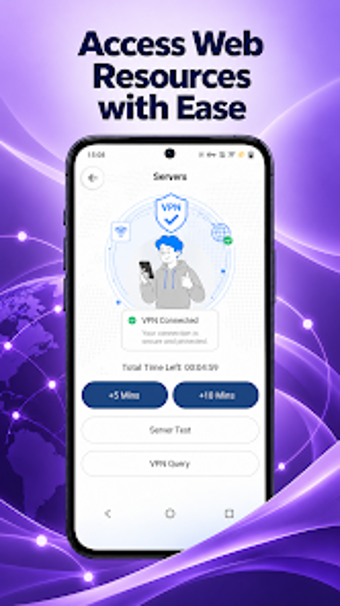
Experience a blend of encrypted tunneling and on-device diagnostics: one-tap VPN connection, live status, and server speed tests for download, upload, and ping. SwiftWave, from Raheel Ahmer, targets Android users who want straightforward connection management. The app pairs a minimalist home screen with connection time tracking and a visible connection status. It suits users who prioritize quick privacy controls and immediate verification of network quality without complex setup.
SwiftWave merges VPN connectivity with immediate performance checks
What the app does: SwiftWave creates an encrypted tunnel for internet traffic while offering built-in server speed testing that reports download, upload, and ping. The home screen opens to a single connection button, so users start a VPN session with one tap. The combination means you can both route traffic through the VPN and run a speed test against the active server from the same interface.
Connection monitoring works in real time with visible time tracking
How it behaves during a session: The app shows real-time connection status and tracks connection time, so users see how long a session has run and manage remaining time. Because the design is minimalist and the interface removes complex configuration steps, the display focuses on status metrics rather than detailed system diagnostics. This suits on-the-go checks on mobile data or Wi-Fi links.
Security model and ease of use favour casual Android users
Who benefits and what limits advanced control: The developer reduced configuration complexity, which lowers the barrier for nontechnical people to enable a VPN and verify link quality. Nevertheless, power users who need advanced tunneling settings or granular server selection may find the simplified approach restrictive. Device compatibility varies by phone, so expect differences across Android devices when enabling the VPN or running tests.
SwiftWave fits casual Android users who want quick privacy and verification
The app offers a minimal, task-focused approach that helps users establish a VPN session and confirm connection quality without setup steps. The main trade-off is a lack of advanced configuration, since the interface deliberately removes complex controls. For anyone who needs simple, immediate VPN access and on-device speed checks, SwiftWave performs as a compact, practical tool; users requiring deep networking options should look elsewhere.